

Event Scheduling & Field Service Booking Built for Salesforce
No more disconnected spreadsheets.
Manage large-scale service events, technician appointments, and operational schedules inside one connected Salesforce ERP platform.
Equipment Install Event
North Hub · 4 techs assigned
Maintenance Workshop
12 delegates · materials allocated
Event Planning
Live availability and resource booking
Work Orders
Event-to-task workflow for operational execution
Auto-Billing
Connected ERP finance after event completion
Axo AI Optimization: event resources balanced; technician travel time reduced by 18% for the upcoming regional service event.
Events Resources Work Orders FinanceAxolt bridges high-level event scheduling and the granular field service operations needed to execute events, with booking, resources, work orders, and finance connected in Salesforce.
Manage Complex Events With Total Visibility
Axolt bridges the gap between high-level event scheduling and the field service operations required to execute each event.
Service Event Booking
Let customers or internal teams book multi-day service events and recurring maintenance windows with customer portals and SLA tracking.
Operational Execution
Connect every event to a field service work order. Track technician labor, spare parts, van stock, mobile activity, and job completion in real time.
Resource & Room Allocation
Book spaces, shared resources, and high-value equipment through connected room booking with capacity control and conflict prevention.
Event-Based Billing
Automate invoices when an event or service call is finalized, connected to ERP finance and financial close.
Connected Event Outcomes
Booking, field service, inventory, logistics, and finance work together so operational events move from scheduling to execution without disconnected workflows.
Plan Events with Better Resource Visibility
Connecting event booking directly to Salesforce ERP gives teams one view of resources, technician assignments, logistics, and administrative work.
Axo AI helps balance event resources and optimize field logistics across distributed teams.
Everything Needed to Run an Event from Discovery to Follow-Up
Customer-facing booking, registration, payments, check-in, configuration, venues, and invitations remain connected in one Salesforce-native event workflow.
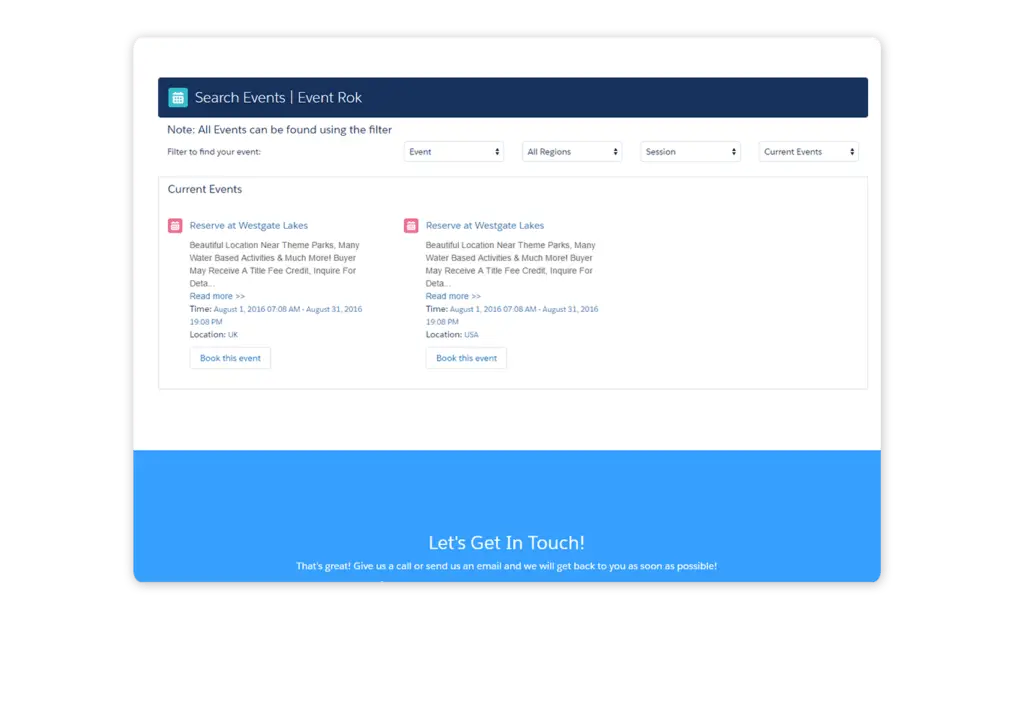
Engage Customers from Any Channel
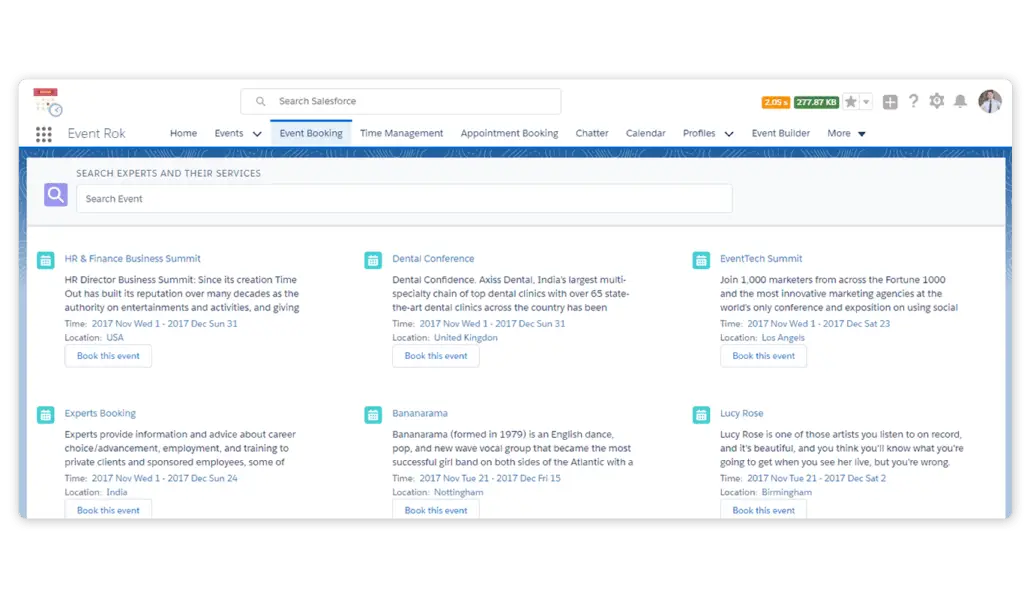
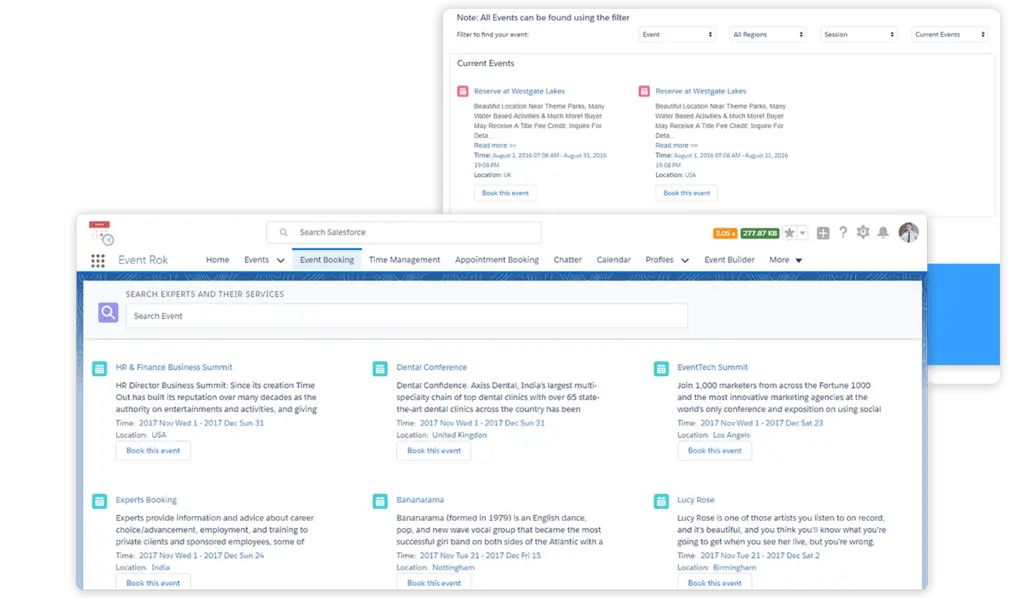
Let customers search, filter, and sort events by location, organizer, and type. Keep events private or list public events on your customer-facing site.
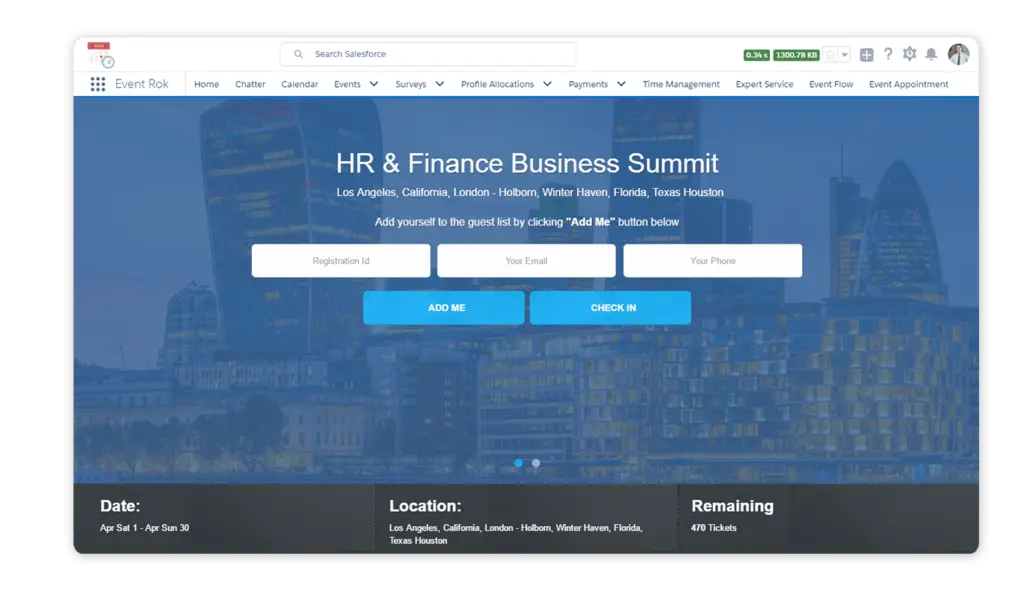
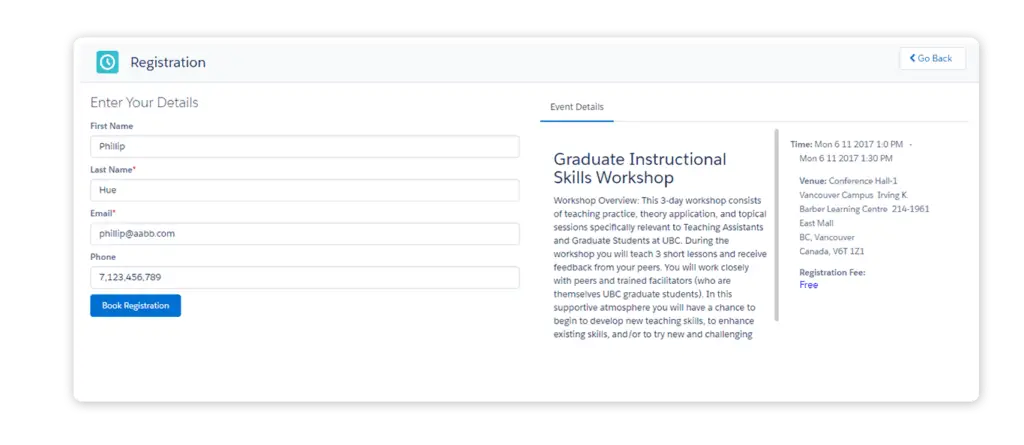
Registrations
Support walk-in and online registration on web or mobile. Guests can enter details, update, or cancel independently.
Payments
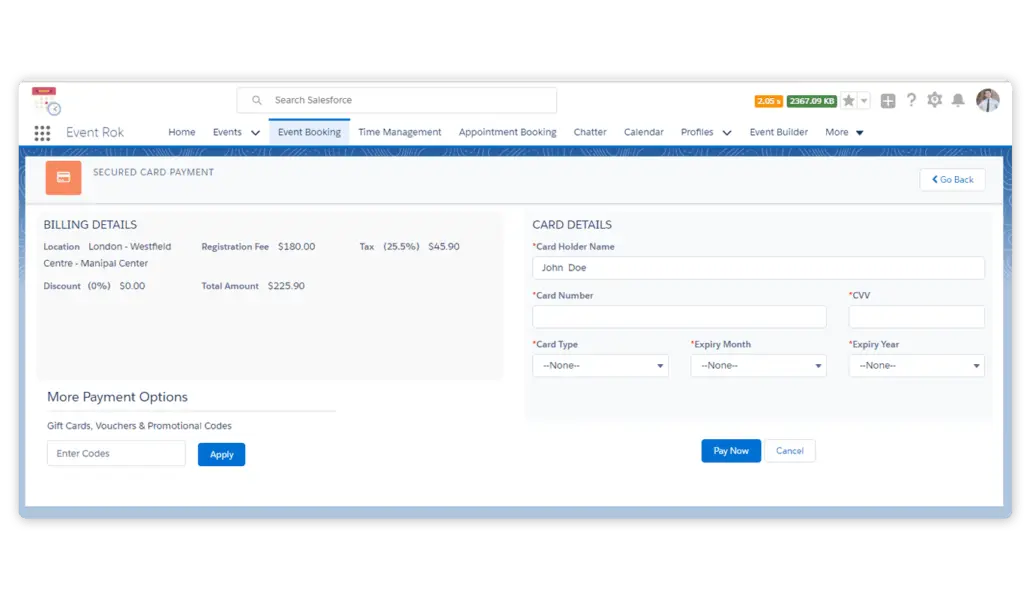
Integrate PayPal and Authorize.net for fast event payments. Accept credit and debit cards to simplify transactions.
Check-In, Check-Out & Kiosk App
Let guests find their registration ID and check in at a kiosk. Print badges, view live attendee totals, and handle walk-in registrations.
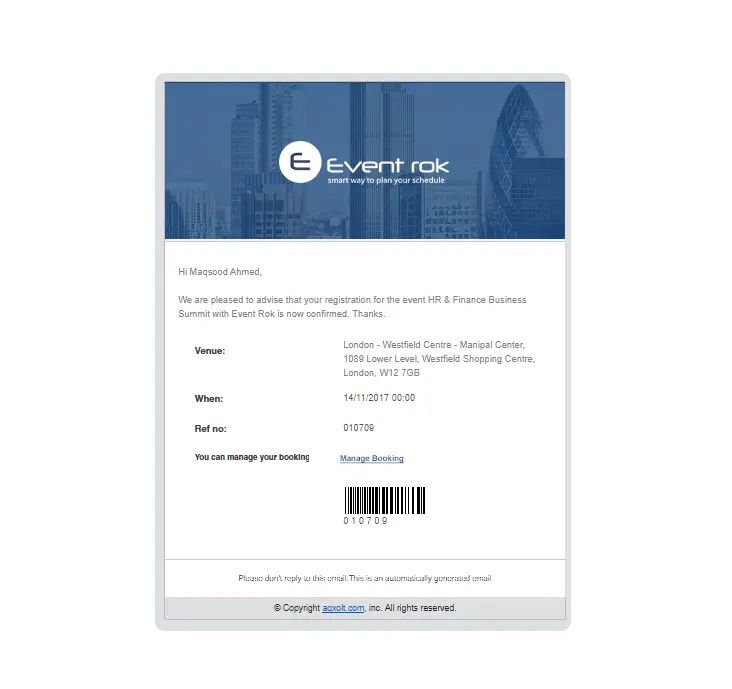
Scan Badges
Customize branded badges with essential guest information and barcodes for efficient printing and scanning.
Event Configuration
Configure single-day and multi-day events, free or paid registrations, discounts, taxes, sponsors, speakers, and agendas.
Locations
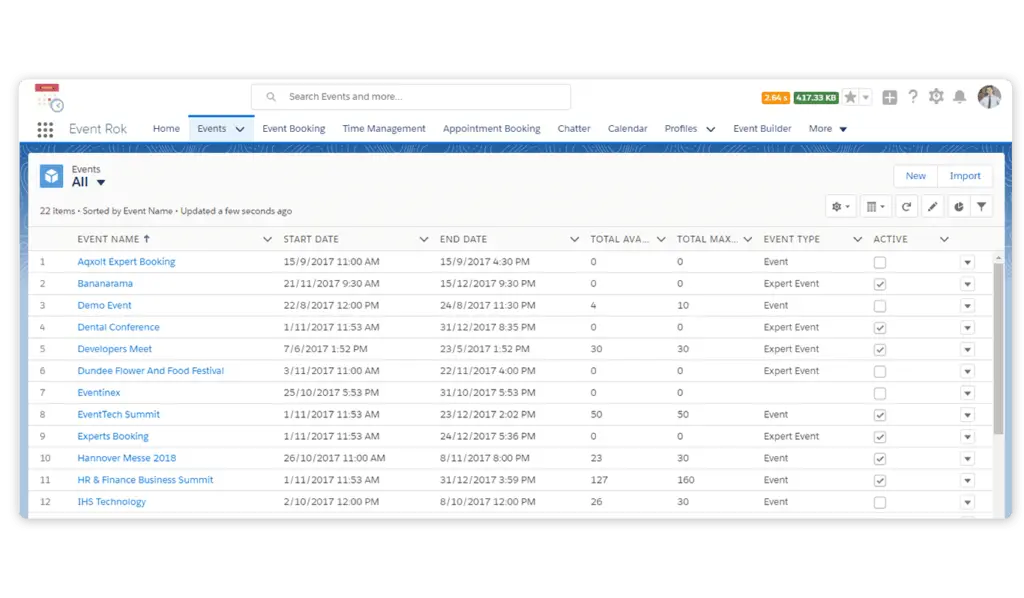
Manage multiple venues and zones. Set maximum booking limits and monitor seat availability for each location.
Invitations
Email invitations to accounts, contacts, and leads. Upload guest lists and tailor fields for names, email addresses, and other details.
From Event Booking to Operational Execution
Axolt connects event scheduling, resource allocation, work orders, logistics, and billing in one Salesforce ERP workflow.
Disconnected Scheduling
Spreadsheets and separate booking, field service, inventory, and finance tools slow event planning and leave resource gaps hard to see.
See the Connected Event FlowOne Flow from Booking to Billing
Book an event and confirm availability
Allocate rooms, technicians, tools, and materials
Create work orders and track field execution
Bill the completed event through ERP finance
Operational events move from scheduling to execution without delays or disconnected workflows.
Intelligence for Large-Scale Events
Axo AI helps teams identify shortages, balance workloads, and optimize logistics before events are disrupted.
Predict Resource Shortages
Identify upcoming events without the required technicians or inventory before they become bottlenecks.
Logistics Optimization
Use AI-driven route and workload balancing for distributed service logistics and field events.
Event Resource Insight
Axo AI can balance event resources and reduce technician travel time, as shown by the 18% regional event example.
Event Scheduling Connected Across Your ERP
Axolt connects booking, field service, inventory, logistics, and finance inside one Salesforce ERP platform.
Event Booking
Schedule service events, appointments, maintenance windows, and customer registrations.
Field Service
Connect events to work orders, technicians, mobile execution, and completion.
Inventory
Allocate event materials, spare parts, and van stock before work starts.
Room Booking
Reserve physical spaces, shared resources, and equipment without conflicts.
Logistics
Balance technician routes and workloads across distributed events.
Finance
Generate event-based invoices and connect payment activity to ERP finance.
One Platform for Every Event Touchpoint
Support public and private events, service workshops, multi-day schedules, and customer-facing registrations with shared operational visibility.
Public & Private Events
List public events on your site or keep selected events private.
Maintenance Workshops
Coordinate delegates, allocated materials, technicians, and schedules.
Service Events
Manage equipment installations and distributed field teams.
Customer Registrations
Connect discovery, registration, payments, check-in, badges, and invitations.
Make Every Event Easier to Run
Give customers flexible booking and registration
Give teams live resource and work order visibility
Connect execution, payments, and finance
From the first invitation to the final invoice, event activity stays connected in Salesforce.
Event Scheduling on Salesforce: Frequently Asked Questions
Can customers find and register for events online?
Yes. Customers can search and filter public events, register on web or mobile, and update or cancel their registrations independently.
Does Axolt support walk-in registration and kiosk check-in?
Yes. Walk-ins can register, while guests can check in with a registration ID at a kiosk and receive printed badges.
How are event payments handled?
The event booking solution integrates PayPal and Authorize.net and accepts credit and debit cards.
Can teams manage multi-day events and multiple venues?
Yes. Events can be single-day or multi-day, with multiple venues, zone booking limits, seat availability, and configurable pricing rules.
How do events connect to field service operations?
Events can connect to work orders, technician labor, spare parts, mobile execution, and completion status in real time.
How does Axo AI support event operations?
Axo AI can identify technician or inventory shortages and help balance routes and workloads before they disrupt an event.
Ready to Modernize Event Scheduling?
Axolt connects booking, field service, inventory, logistics, and finance inside one Salesforce ERP platform so operational events move from scheduling to execution without delays or disconnected workflows.