

Leave Management System for Simple, Compliant Time-Off Tracking
Managing employee leave shouldn't mean chasing emails, updating spreadsheets, or answering the same balance questions every week. Axolt gives employees, managers, and HR teams one connected system for requesting time off, applying policy, and tracking entitlements.
Manual leave tracking creates avoidable risk
Different managers interpret policy differently, balances get updated late, and approval evidence ends up scattered across inboxes.
Requests live in email threads
Employees chase HR for confirmation instead of seeing their balance and status in one place.
Spreadsheets fall out of date
As headcount grows, shared files become hard to maintain and no one is sure which version is correct.
Approvals lack consistency
Without a structured workflow, managers apply policy differently across teams and locations.
Audit trails are incomplete
When questions arise later, who approved what and when is hard to reconstruct from inboxes.
A central leave management process helps organisations apply entitlements and approval steps consistently and gives HR a stronger record to stand behind.
See it in actionMake every leave request easier for employees
Instead of sending an email and waiting for HR to confirm a balance, employees create a request, choose a leave type, select the relevant dates, add context, and submit it for approval.
- Multiple leave types annual, sick, parental, bereavement, unpaid
- Full-day or partial-day requests with accurate start and end dates
- Notes and attachment uploads for supporting documents
- Draft requests reviewed before submission
- Clear statuses: submitted, approved, rejected, cancelled, completed
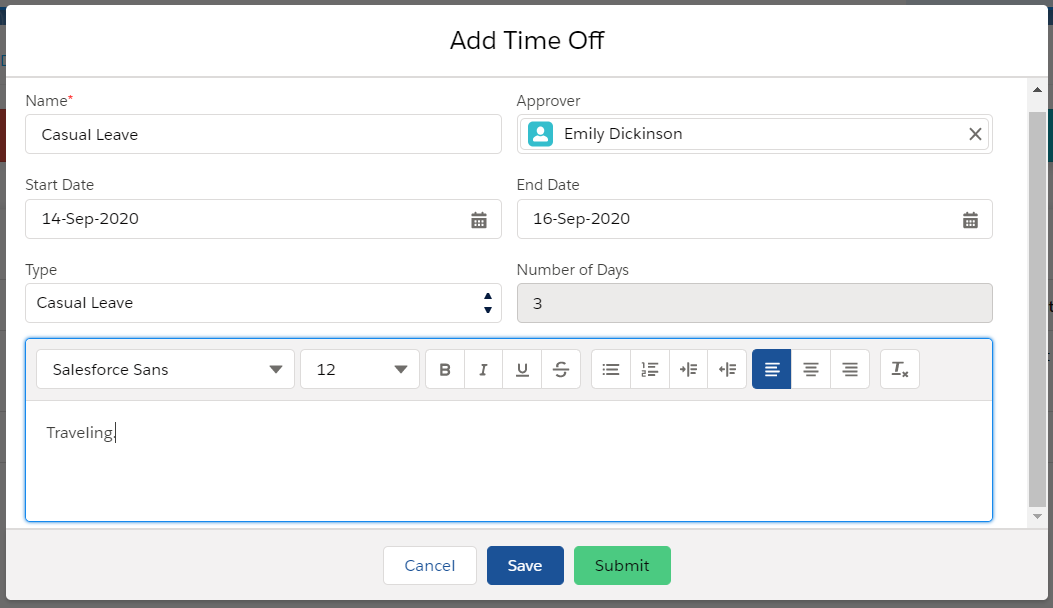
Employees can create a time-off request, select the leave type and dates, add a reason, and route it to an approver.
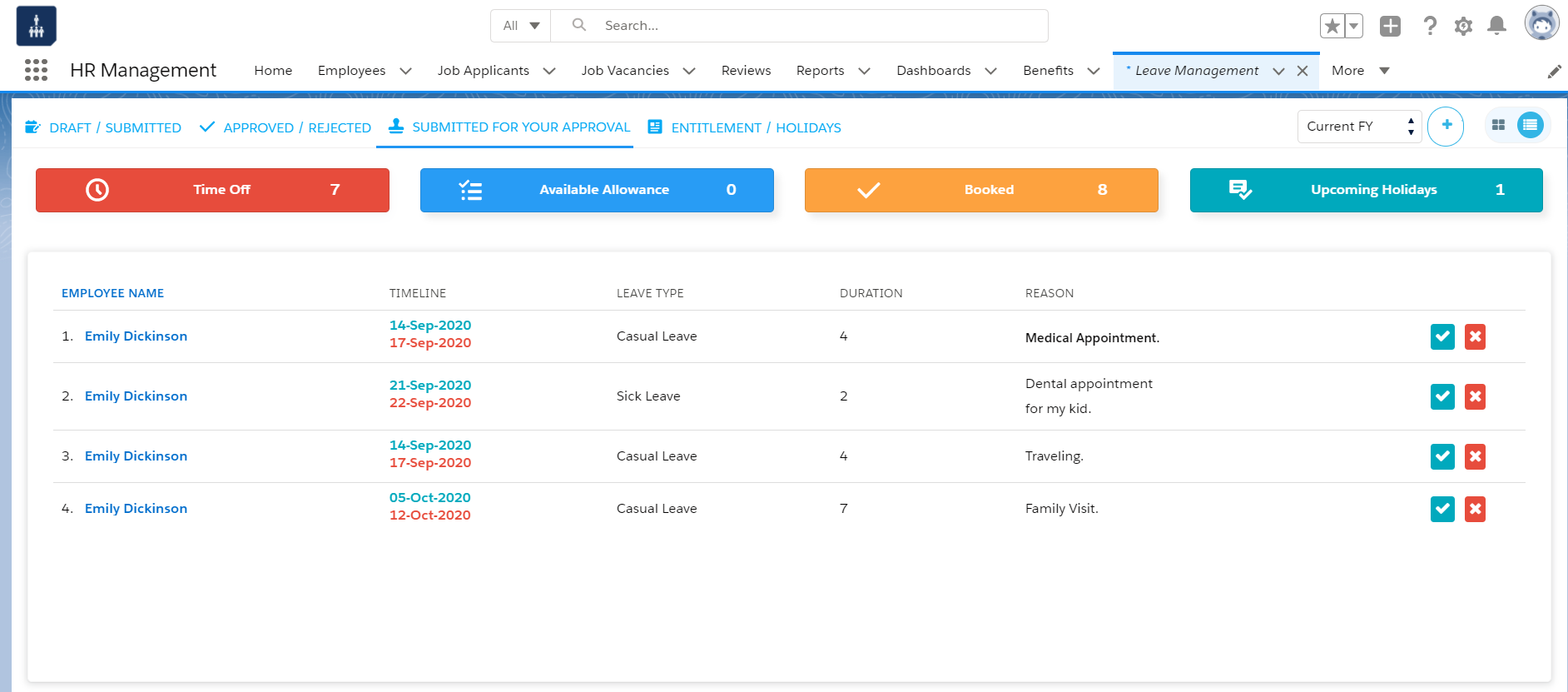
Managers can see requests awaiting their approval in one place and respond before staffing plans are affected.
A faster, more consistent approval workflow
Submitted requests route to the appropriate approving manager, who can weigh workload, deadlines, and existing absences before deciding. Rejected requests stay visible for correction and resubmission.
- Requests routed to the appropriate approving manager
- Approve or reject with a documented status history
- Consolidated view of requests awaiting approval
- Consistent approval rules across business units
Keep leave balances accurate and visible in real time
Employees shouldn't have to calculate their remaining leave from old payslips. Axolt gives everyone a clear, current view of entitlements reducing uncertainty and avoidable requests.
- Accrued totals, available allowance, and booked or pending leave
- Approved and completed requests, plus carry-over from prior periods
- Historical leave usage and upcoming holidays in one view
- Entitlements aligned to roles, locations, or eligibility rules
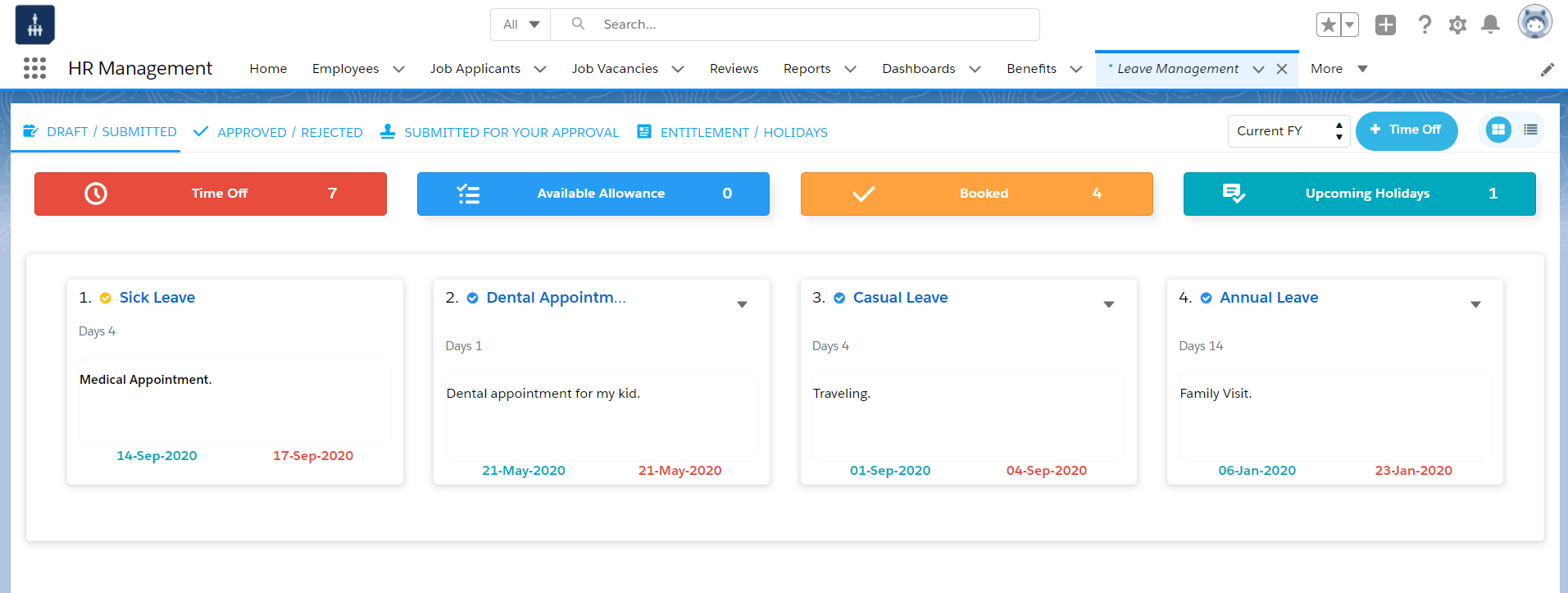
The grid view brings leave records, entitlements, and upcoming holidays together for quick workforce visibility.
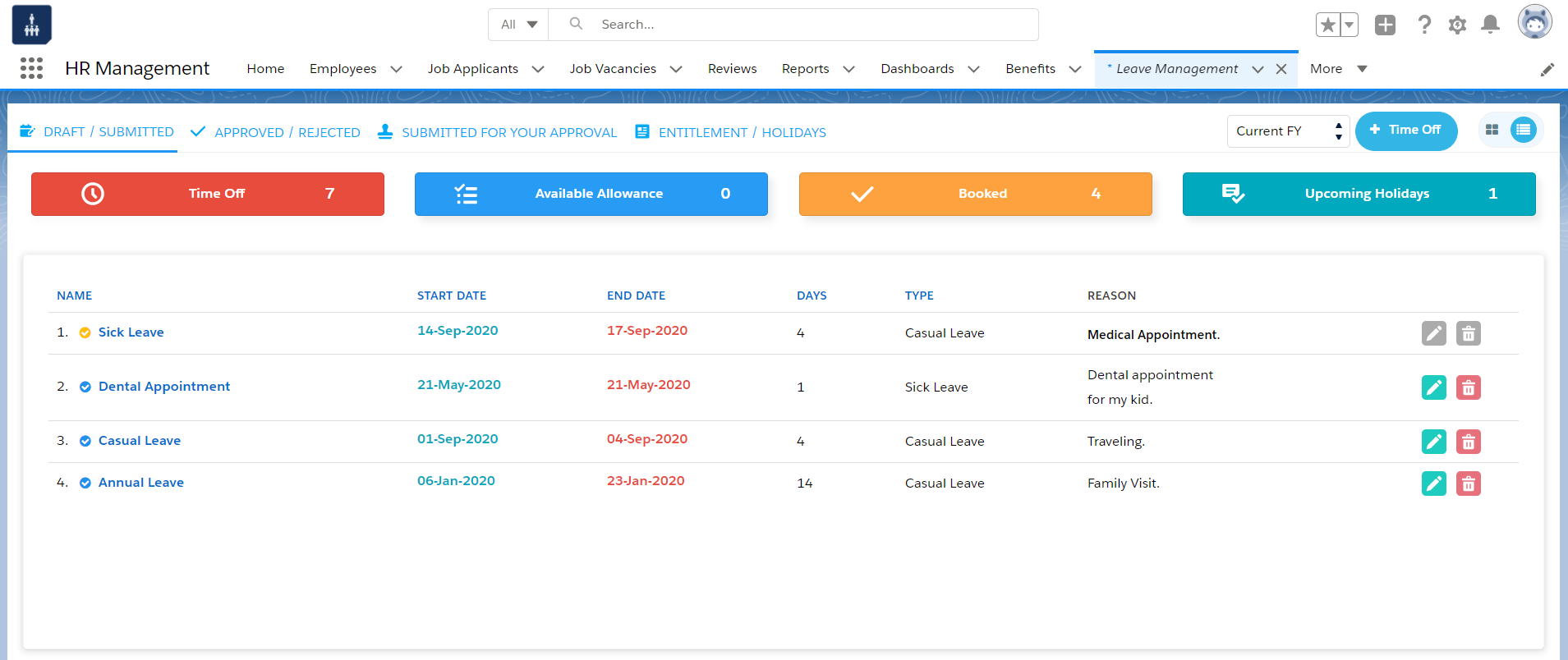
Filterable list views help HR and managers review leave activity by period and request status.
Improve workforce planning without another spreadsheet
An approved absence is also a staffing event. Seeing leave and holidays in one system helps managers spot coverage gaps early and avoid approving overlapping absences.
- List and grid views for reviewing records in the format that fits the task
- Filters by fiscal year and time period
- Separate draft, submitted, approved, rejected, and pending records
- Pairs with timesheet tracking for a fuller view of capacity
Support policy consistency and audit readiness
Axolt keeps the request, entitlement, approver, dates, reason, and status in one structured record better source data for reporting and policy checks.
Manual tracking
- Policy applied inconsistently across managers
- Balances updated late or by hand
- Approval evidence scattered across inboxes
- Hard to answer "who approved this, and when?"
Axolt leave management
- One system for entitlements, requests, and approvals
- Real-time balances tied to the employee record
- A documented status history for every decision
- Clear answers for HR reviews and policy checks
Built for how your teams already work
From growing companies to project-based teams, the same connected process adapts to how leave actually gets requested, approved, and planned around.
Growing companies moving off spreadsheets
Replace a shared file and email approvals with self-service, structured statuses, and a central record.
Distributed, multi-location teams
Keep policy consistent across sites while managers review only what's relevant to their team.
Project-based, professional services teams
Review pending leave alongside resource plans and connected timesheet data before it affects delivery.
HR teams managing multiple policies
Maintain different entitlements, carry-over rules, and approval paths for different employee groups.
Managers with overlapping requests
Respond to peak-period request volume in order, with existing absences visible at a glance.
HR & operations working from one record
Reduce duplicate entry by keeping leave connected to employee, payroll, and attendance data.
One connected HRMS, not another isolated tool
Axolt's leave management runs on the same Salesforce-native HRMS as the rest of your people-management workflows.
Less time spent on updates
Employees see status and balances themselves instead of asking HR for a manual update.
Faster, more confident decisions
Managers approve or reject with full context instead of searching emails and calendars.
A stronger operational record
A documented status history gives HR a clearer audit trail when questions come up later.
One source of workforce truth
Leave stays connected to employee records instead of living in a disconnected point solution.
Frequently asked questions
Ready to simplify employee leave?
Replace manual trackers, reduce approval delays, and give your people a clearer way to plan time off.